Local models, without the guesswork.
Anchor is a native macOS control center for local models. Find, fit, and benchmark them with ease — then chat, 100% on your machine.

A terminal when you want one
The Anchor CLI shares the same local SQLite database as the app. Scan your hardware, check whether a model fits, and run benchmarks without leaving the shell — and without a single network call.
Install the CLIEverything Ollama needs a UI for
Anchor is not an inference engine — it's the layer above one. Discovery, memory management, and benchmarking without a single terminal command.
Chat
Streaming conversations with any installed model. History lives in a local SQLite file — it never leaves your Mac.
Model Hub
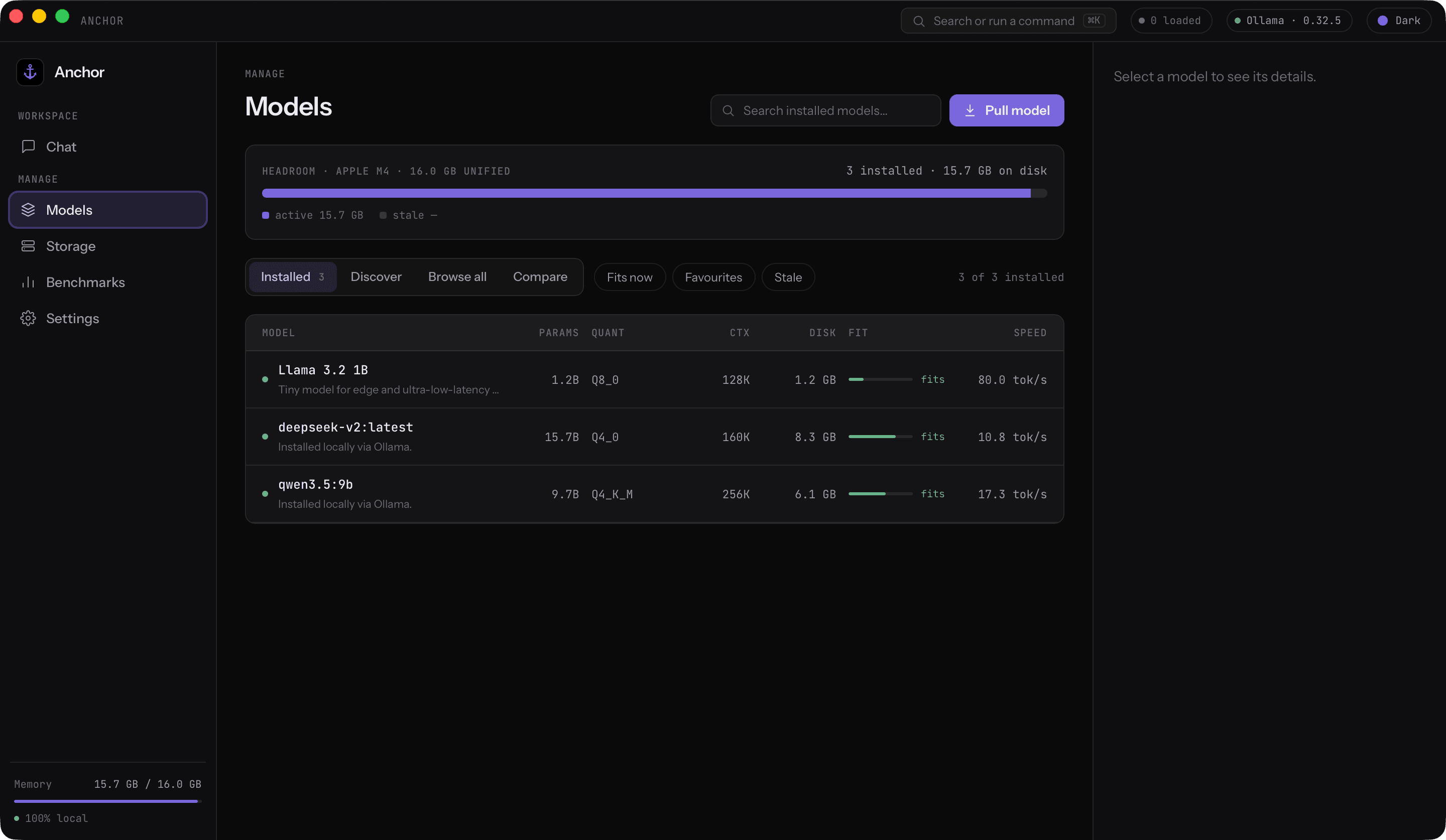
Every installed model in one place: parameters, quantization, context windows. Pull new ones without touching a terminal.
Semantic Search
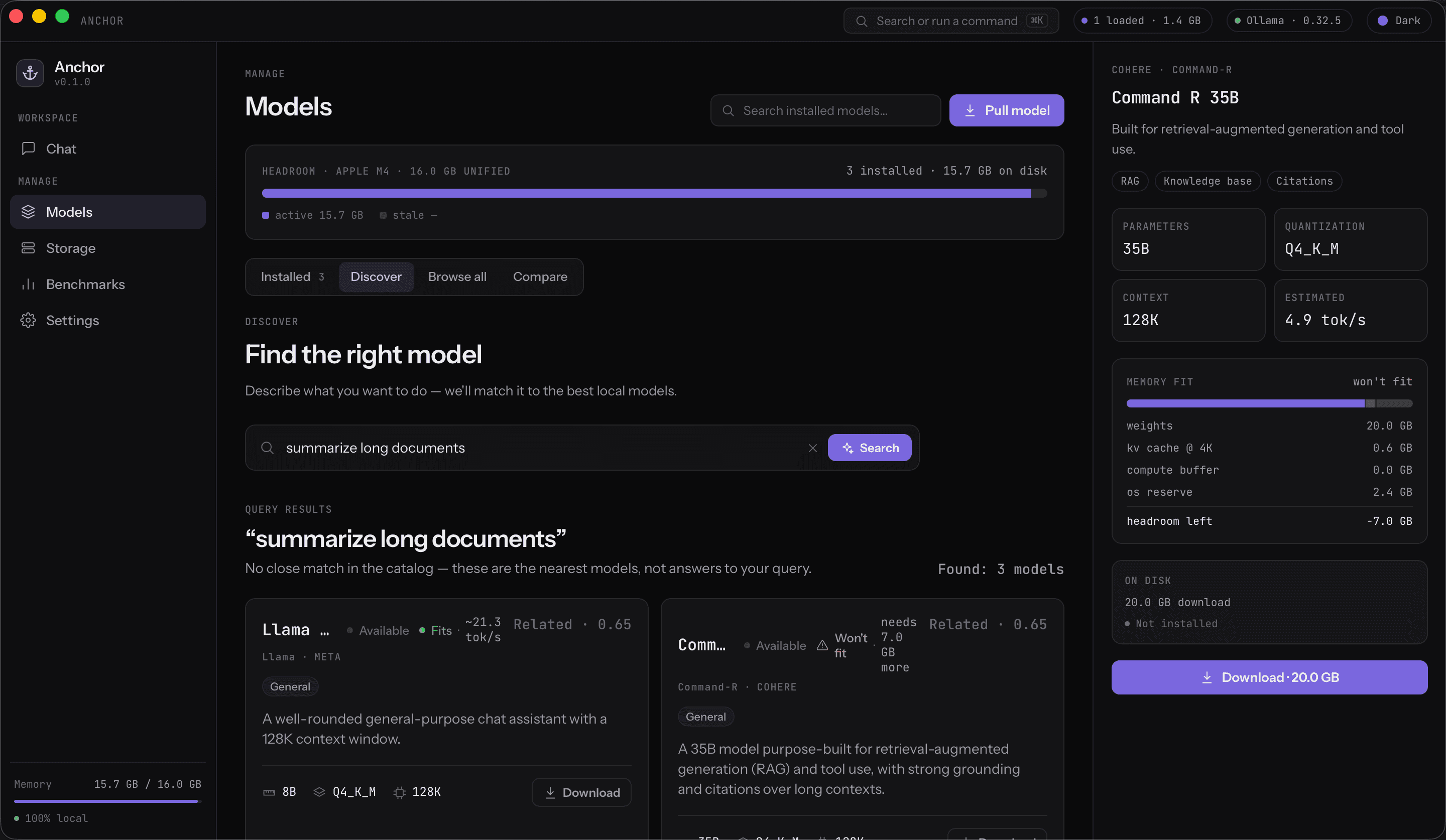
Describe what you want to do in plain language — Anchor matches it to the best local models using on-device embeddings.
Fit Analysis
Weights, KV cache, and compute buffers estimated against your hardware — know if a model fits before you download 20 GB.
Benchmarks
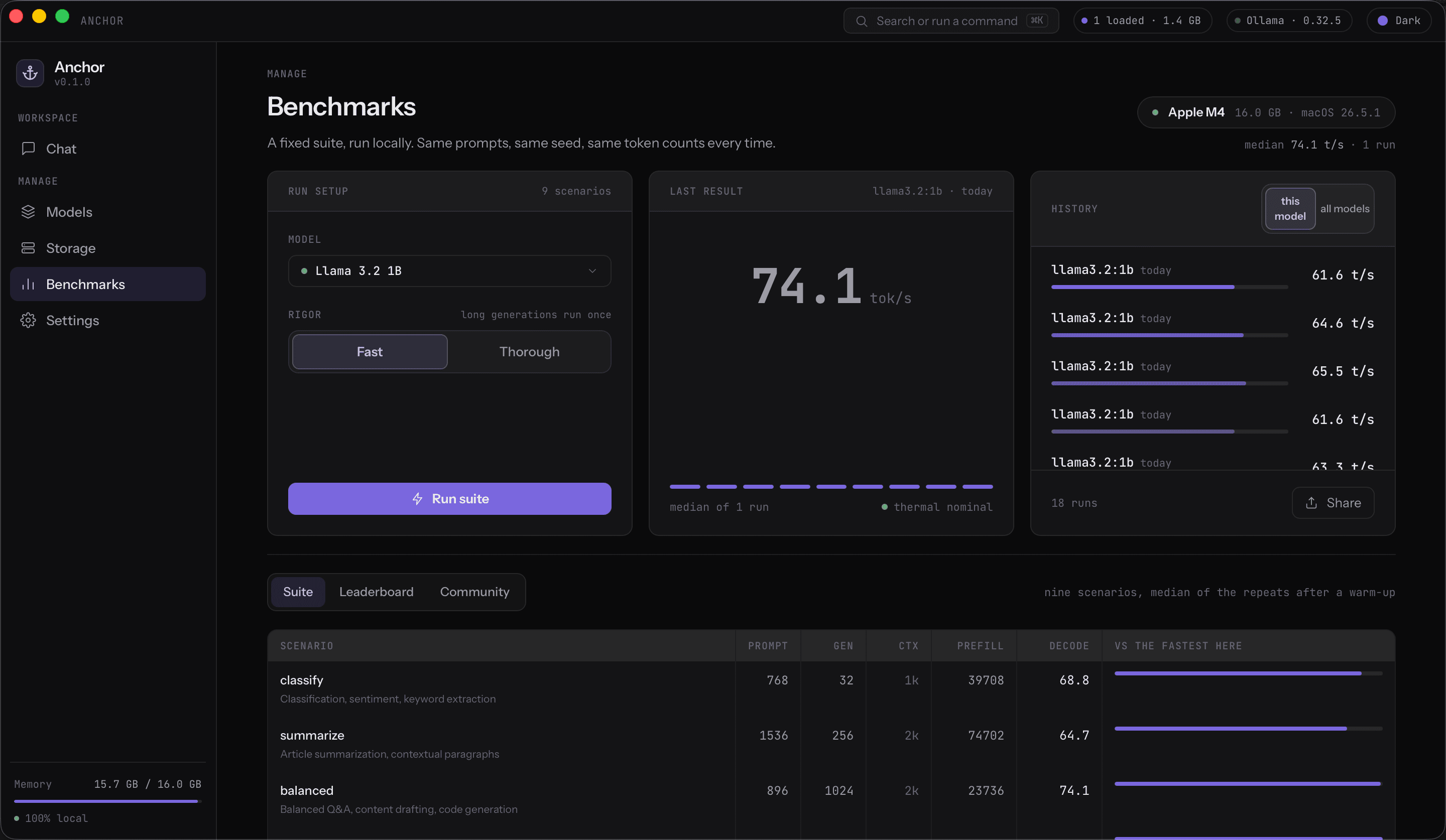
Nine standardized scenarios with thermal state tracking. Real tok/s numbers on your machine, not someone else's.
Storage
See exactly what Ollama keeps on disk, find orphaned blobs, and reclaim space with confidence.
Know before you download
Describe what you need in plain language, and every match comes back with the memory math already done — weights, KV cache, compute buffer, and OS reserve against your unified memory. A model that won't fit says so up front, not after 20 GB.
- weights
- 20.0 GB
- kv cache @ 4K
- 0.6 GB
- compute buffer
- 0.0 GB
- os reserve
- 2.4 GB
- headroom left
- -7.0 GB
Example figures from Anchor's Fit view — Command R 35B against a 16 GB Apple M4.
Measure what matters
Nine standardized scenarios, tokens per second, time to first token, and thermal state tracking — compare models on your hardware with numbers you can trust.
- llama3.2:1b67.2 tok/s
Q4_K_M · 47 ms to first token
- gemma3:4b31.5 tok/s
Q4_K_M · 92 ms to first token
- qwen3:8b18.4 tok/s
Q4_K_M · 148 ms to first token
Example figures. Anchor runs nine standardized scenarios and tracks thermal state, so the numbers you see are the ones your machine actually produces.
One window for the whole model library
Browse and compare what you have installed, watch disk usage, and tune inference presets — without memorizing a single flag.

Model Hub. Parameters, quantization, and context windows at a glance — pull new models in a click.

Storage. See what Ollama keeps on disk, spot orphaned blobs, and reclaim space safely.

Compare. Put models side by side before committing disk space to one.

Settings. Inference presets, hardware profiling, themes, and privacy — all in plain language.
The network is never in the loop
Prompts, responses, and history stay in a SQLite file on your machine. There is no account to create and no key to paste, because there is nothing to call.
Up and running in minutes
01
Install Ollama
Anchor is the control center, Ollama is the engine. If it's already on your Mac, you're set.
02
Download Anchor
Grab the signed .dmg, drag it to Applications, and open it. No accounts, no API keys.
03
Pull a model and chat
Search the catalog, check the fit, download, and start a conversation — all on-device.
Tauri 2 · Rust · React 19 · SQLite · ONNX Runtime
Know what fits. Know how fast.
Stop guessing which models your Mac can run. Anchor does the memory math before you download and benchmarks what you keep — free, open source, and entirely on-device.